




Instagram downloader
Paste a post, reel or carousel link. Get every photo and video in the quality Instagram serves, plus the caption, the date and the account's numbers. No ads, no login.
Public posts, reels and carousels. Stories need a login, so this tool does not fetch them. Nothing you download is stored on Virev.
How to download from Instagram
- 1
Copy the link
In the Instagram app, tap the three dots on a post and choose Copy link. On the web, copy the address bar.
- 2
Paste it above
Paste the link in the box and press Get files. The tool reads the public post through Virev's own crawler; it never asks for your login.
- 3
Save the files
Each photo and video has its own button. Download all packs them into one zip. On iPhone, Safari puts the file in Files under Downloads.
What you get for each post type
| Post type | Files |
|---|---|
| Single photo | The full-size image, 1080 px wide on most posts |
| Carousel | Every slide, photos and videos, numbered in order |
| Reel or video | The mp4 with sound at the resolution Instagram serves (720p or 1080p), plus the cover image |
| With every post | Caption, posted date, likes, comments, and the account's follower count and engagement rate |
| Stories and highlights | Not available. Instagram serves them only to logged-in accounts, and this tool does not log in. |
A real example
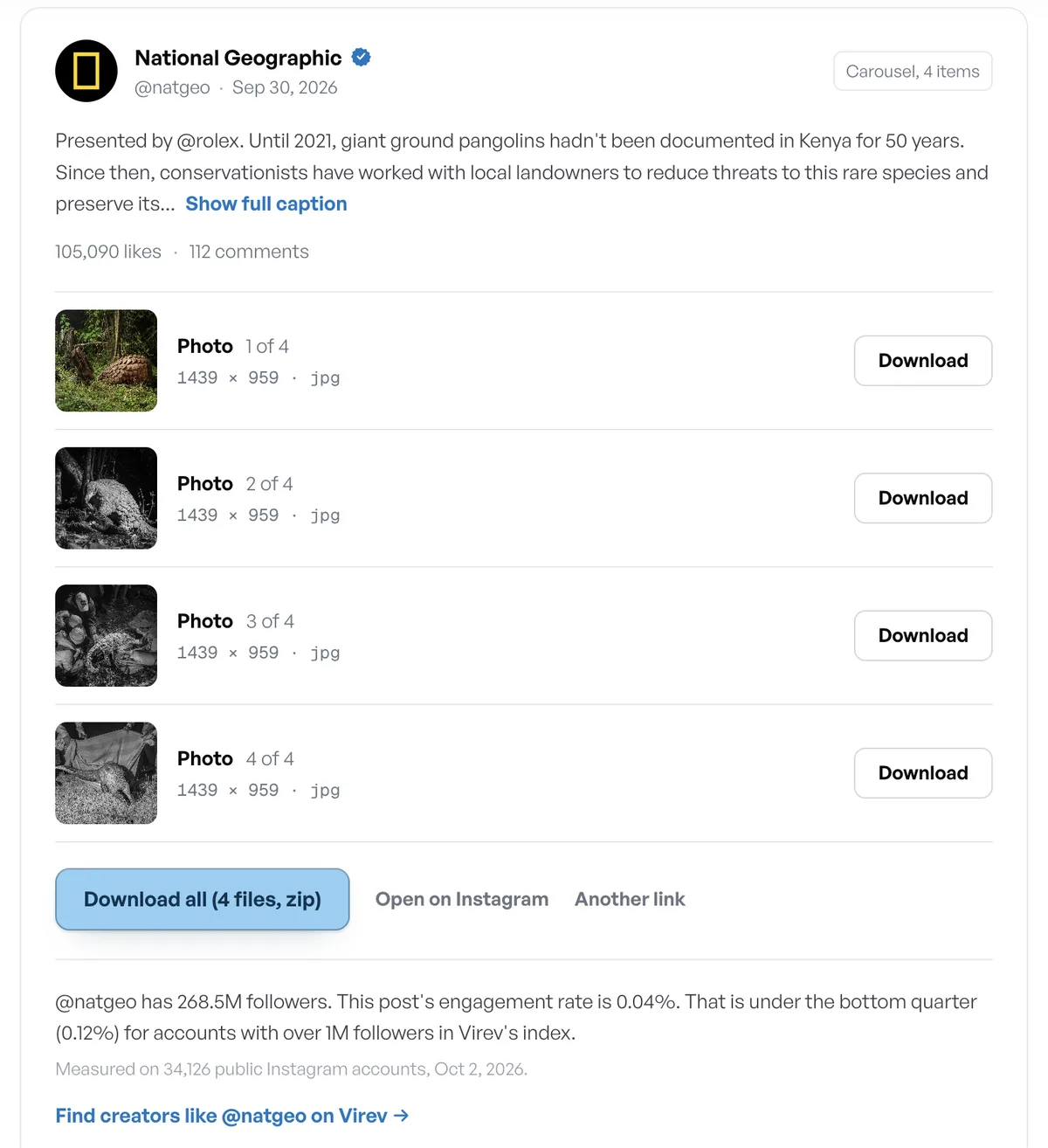
The carousel at instagram.com/p/Dd4oFPuF27g by @natgeo, resolved with this tool on 2 October 2026: four photos at 1439 x 959, 105,090 likes, 112 comments, and an engagement rate of 0.04% against the 0.41% median for accounts over 1M followers.
Questions people ask
Is it legal to download Instagram videos?
Saving a public post for personal use is allowed under most copyright laws; reposting it as your own is not. The content belongs to the person who posted it. Ask before you reuse it, and credit them.
Does the account owner know I downloaded their post?
No. Instagram does not notify anyone, and the tool reads the public page the same way a logged-out browser does.
Why is there no watermark on the video?
Instagram's video files carry no watermark. The username overlay you see in the app is drawn by the app, not baked into the file. Tools that deliver a watermarked video added it themselves.
Can I download from a private account?
No. The tool reads only what a logged-out visitor can see. A private post returns an error.
Can I download Instagram stories?
Not with this tool. Instagram serves stories only to logged-in accounts, and the tool does not log in, so it cannot read them.
How do I save the video to my iPhone camera roll?
Tap Download. Safari saves the file to Files under Downloads. Open it there, tap Share, then Save Video, and it appears in Photos.
What quality do I get?
The same file Instagram serves to a browser: photos 1080 px wide on most posts, reels as 720p or 1080p mp4. The tool does not re-encode anything.
Related tools
Virev is not affiliated with Instagram or Meta. Files stream from Instagram's servers through Virev at the moment you click; Virev keeps no copy.