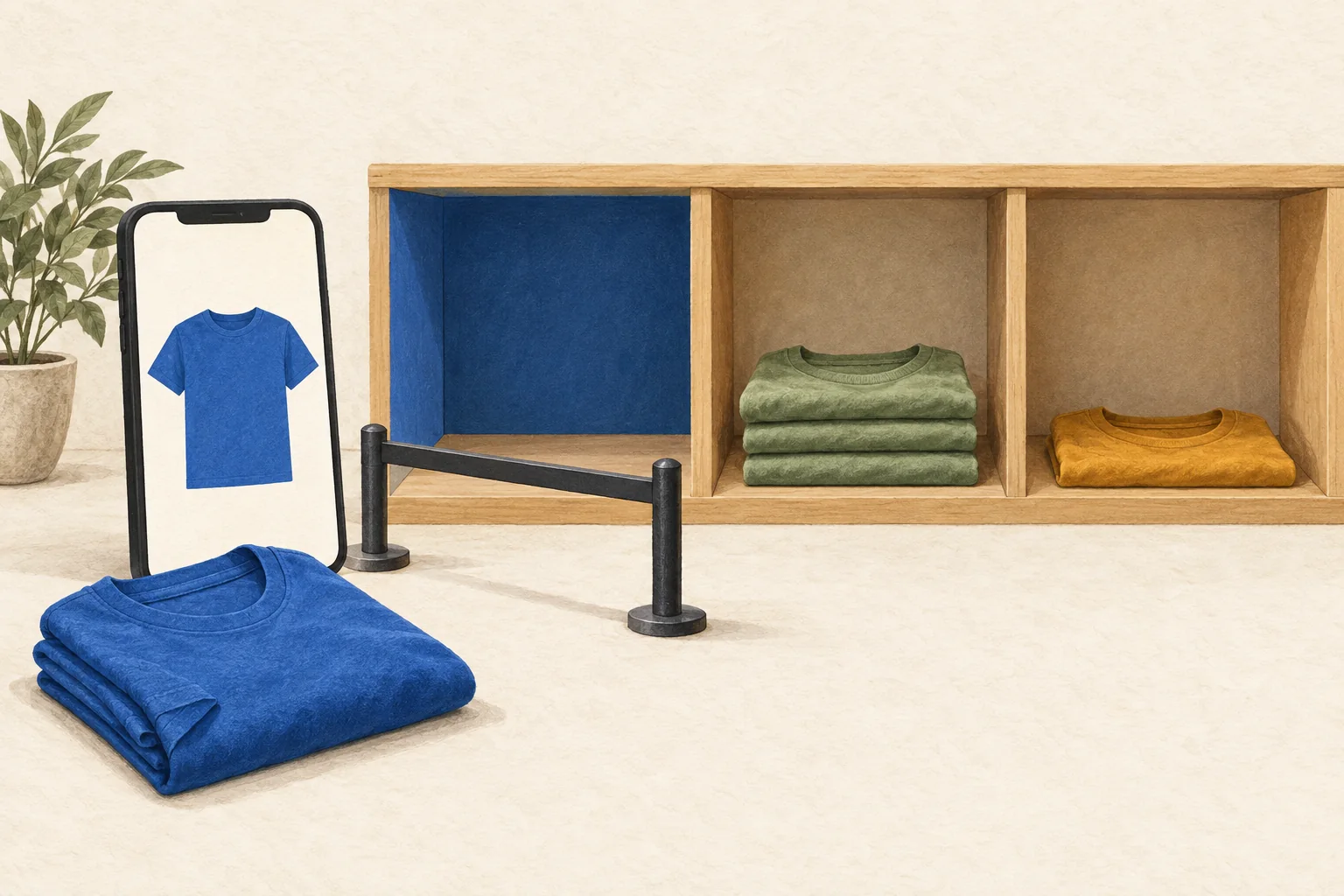
Check the exact variant in two places before a creator posts: the merchant's current SKU inventory and the buyer-facing TikTok Shop listing. Match the size, color, pack quantity and delivery promise to the item shown in the video. If either check fails, hold the promotion until the merchant fixes the listing or the creator revises the content.
This checklist uses United States TikTok Shop documentation accessed on September 30, 2026. For another market, confirm the local Seller Center controls and buyer experience before using it. The release steps below are operating recommendations; the linked TikTok guidance defines the platform mechanics.
Start with the variant shown on camera
A product-level stock count cannot answer whether viewers can buy the specific item a creator demonstrates. TikTok's US stock dashboard guide lets merchants expand product rows into individual SKUs or work in SKU view.
Create one record for each promoted variant. Include the merchant, market, product ID, seller SKU, product link and the full variant description. A description such as "blue shirt" is incomplete when the video features a medium two-pack and the available listing is a large single shirt.
Ask the creator to compare the physical sample with that record before filming. Repeat the comparison when selecting the product link for the post. A sample arriving at the creator's home tells you what they received. It does not establish current buyer availability.
Later's brand guide to TikTok Shop recommends planning inventory early and treating fulfillment as part of the channel's operations. For an individual promotion, turn that advice into a named SKU, a named stock owner and a dated release decision.
Ask the merchant what the stock count includes
In US Seller Center, the documented route is Products > Manage products > Manage stock. The merchant should inspect the target SKU rather than send a screenshot of the whole product's total.
The stock guide distinguishes these fields:
| Field | What the guide says it includes | Preflight question |
|---|---|---|
| Total stock | Physical warehouse stock and eligible backorder stock, including FBT stock | How much is physically ready to fulfill? |
| Available | Physical stock for sale, excluding creator, campaign and order reservations | What can this promotion sell now? |
| Locked | Stock reserved for campaigns, creators or orders not yet dispatched | Which reservation, if any, serves this promotion? |
Do not add Locked to Available and call the result ready-to-sell inventory. Ask the merchant to explain any reservation the campaign relies on, including who can use it and when.
Backorders need a separate answer. TikTok's newer US Backorder guide describes combined stock totals using different wording. Request separate confirmation of physical and backorder units instead of treating a summary count as proof of immediate fulfillment.
That guide says eligible sellers can keep regular and backorder inventory on the same SKU. Backorder inventory starts being used after regular stock sells out. Buyers see backorder information and an estimated delivery date. Access is limited to selected qualified sellers; a creator cannot assume the merchant can switch it on.
Use this SKU preflight checklist
The merchant owns inventory quantities, reservations and fulfillment settings. The creator checks what they show, say and link. A campaign coordinator can collect both confirmations without asking the creator to operate Seller Center.
| Check | Owner | Evidence to record |
|---|---|---|
| Correct shop and market | Coordinator | Shop name, market and final product link |
| Exact demonstrated variant | Creator | Size, color, quantity and matching SKU |
| Current physical stock | Merchant | SKU-level count and check time |
| Reservations and backorders | Merchant | Relevant allocation and order type |
| Buyer availability | Creator or coordinator | Selected variant is purchasable in the intended market |
| Delivery promise | Merchant and creator | Listing estimate matches the content's wording |
| Price and conditions | Creator | Current price, eligible variant and any coupon conditions |
| Stop instruction | Coordinator | Named contact and agreed hold or revision action |
Check the intended delivery area too. The US stock guide allows merchants to restrict sales by state or ZIP code. An item can have inventory while remaining unavailable to a particular destination. One address check supports that destination; it does not prove nationwide availability.
Repeat the buyer-facing check immediately before posting or starting LIVE. If a scheduled post cannot receive that final check, assign someone to release it after confirmation rather than relying on the filming-day record.
A stock check also does not prove affiliate tracking works. Use a separate TikTok Shop affiliate order test when you need to verify that part of the launch.
Decide whether to release, revise or hold
Use the following hypothetical example. These are invented working records, not TikTok inventory data or platform thresholds.
| Promoted variant | Physical units available | Backorder units | Buyer check | Decision |
|---|---|---|---|---|
| Blue, medium, single shirt | 0 | 0 | Cannot select for purchase | Hold the blue-shirt video |
| Green, medium, single shirt | 48 | 0 | Purchasable | Revise only after creator checks the green item and link |
| Blue, large, single shirt | 0 | 20 | Backorder with later delivery | Review delivery wording before any release |
Forty-eight green shirts do not make the blue medium available. Nor does a large shirt solve a medium-size promotion. Treat a proposed substitute as a new content decision, with its own sample match, link and stock check.
There is no universal safe stock quantity for a creator post. Agree on the merchant's minimum release quantity and stopping point using expected demand, other planned promotions and replenishment timing. Label those values as internal planning decisions. TikTok's sales forecast is a reference for inventory planning, not a guarantee of how many orders this creator will generate.
If the content names a price, check that claim separately. TikTok's US price and discount guidance requires accurate, available offers and clear conditions for selected variants or coupons. A cheaper variant does not support quoting that price for every variant. A planned offer must become active before content says viewers can obtain it.
Agree on the stockout response before posting
Keep the immediate response short enough that a creator can follow it during a launch:
- The merchant alerts the coordinator with the exact SKU, current order status and time checked.
- The coordinator holds unreleased posts that promote that SKU and tells the creator what changed.
- The creator stops repeating availability or price claims that no longer apply. Review existing content and the update, unlink or removal options available for that post.
- The merchant confirms replenishment, eligible backorder settings or a proposed alternative. The creator does not invent a restock date.
- Repeat the SKU and buyer checks before resuming promotion.
TikTok's price guidance specifically recommends updating, removing, unlinking or stopping promotion of expired offers where possible. Do not assume every published post has the same editing controls, or that changing a product link changes words already spoken in a video.
Use merchant alerts as support, with a person responsible for checking stock during the promotion. The US stock guide says alert notifications arrive at most once per day and excludes Pre-Owned and Collectibles from stock alerts. That is too infrequent to serve as the only stop signal for a promotion that sells through within hours.
For wider scheduling and merchant response decisions, use the creator campaign stockout plan. Before releasing this post, get one dated confirmation from the merchant and one from the creator for the exact SKU viewers will try to buy.