Adding a Short to a sponsored long video creates a second deliverable with its own opening, viewer action, edit, disclosure and reporting plan. Give it a separate scope and fee line, even when both videos use the same shoot. In a YouTube Shorts creator campaign, the largest practical changes are the viewing format, the route to the sponsor's destination and what a view means.
Choose the Short's job before choosing the clip
A companion Short can demonstrate one product task, preview a longer explanation or answer a narrow question left out of the main video. Pick one job. A request to fit the entire sponsorship into a shorter runtime gives the creator no basis for deciding what to remove.
Later's Shorts guide recommends previewing long-form content. That is one possible use. For a sponsor, the decision depends on whether the long video contains a useful next step for the person watching the Short.
Ask two questions before approving the add-on:
- Can someone understand the Short without seeing the long video?
- Does its requested action lead somewhere the viewer can reach?
If either answer is no, change the concept before negotiating the extra edit. Use the long-video integration brief to keep the main video's scope separate.
Check format and destination together
For standard YouTube channels, square or vertical uploads made on or after October 15, 2024 qualify as Shorts when they are up to three minutes long. YouTube's format documentation also confirms uploads through the YouTube app and Studio. Official Artist Channels have a different historical cutoff, so check that section if it applies.
Three minutes is a format limit, not a recommended campaign length. Specify the runtime that the chosen demonstration needs. A vertical crop may remove the hands, controls or comparison that made a wide shot useful. Ask whether the creator needs new footage before calling the Short a cutdown.
The destination needs equal attention. URLs in Shorts descriptions and comments are non-clickable. A pinned comment containing a URL does not solve that limitation. Do not carry over a long-video instruction to click the description without checking the route.
A companion Short can use YouTube's related-video feature. The creator selects a video from their own channel in Studio. It must be public or unlisted, and the channel needs advanced feature access. Viewers see a clickable link below the channel handle.
For a Short that previews the sponsored long video, use this sequence:
- Confirm the creator has access to the related-video feature.
- Agree which long video will be the destination and when it becomes available.
- Add the related video in Studio after uploading the Short.
- Test the viewer journey on a phone before launch sign-off.
- Test the sponsor link inside the long video's description separately.
An unlisted destination can still be reached through that link. Do not attach an embargoed video before the agreed release time. For the final external step, use the YouTube description-link test.
Compare the work before accepting a bundle
These are recommended commercial planning fields. They are not YouTube requirements.
| Scope item | Long video | Companion Short |
|---|---|---|
| Viewer task | Explain a topic with room for context | Complete one small task or preview one question |
| Production | Main script, shoot and edit | Dedicated opening, reframing and any new shots |
| Sponsor message | Agreed integration within the video | Standalone message with necessary qualifications |
| Destination | Tested description link | Tested related-video or other agreed available route |
| Approval | Review the integration in context | Review the complete Short, including its opening |
| Revisions | Define included rounds and reshoots | Define rounds independently; count extra versions |
| Usage | Name agreed placements and duration | Name Short-specific reuse, edits and duration |
| Evidence | Report main-video results | Report Short results using Shorts definitions |
Price the extra work and usage explicitly, even if the proposal presents a package total. Record whether the Short uses an existing sequence, needs a new voiceover or requires a second shoot. For broader quote review, compare the work included in a YouTube sponsorship quote.
Keep disclosure and permissions in the Short's scope
YouTube requires creators to use its paid promotion control for sponsorships and other commercial relationships. Its disclosure guidance also says creators and partners must meet applicable legal requirements. Treat the Short as a separate upload in the disclosure checklist. A disclosure in the long video does not tell the Short's viewer about the relationship.
Plan a clear sponsorship disclosure within the Short itself, then have the campaign's responsible reviewer check the requirements for the markets involved. This is an operational brief, not jurisdiction-specific legal advice.
For permissions, ask the creator and the brand to record their agreement on:
- Publication on the creator's channel and the agreed live period.
- Brand reposting, including which channels and how long.
- Paid advertising use, if requested, as a separately agreed use.
- Permission to crop, translate, add captions or make further edits.
- Music, footage and other material that need clearance for each planned use.
Do not treat access to an uploaded file as confirmation of reuse rights. Resolve these questions before asking for a downloadable master.
A completed companion-Short brief
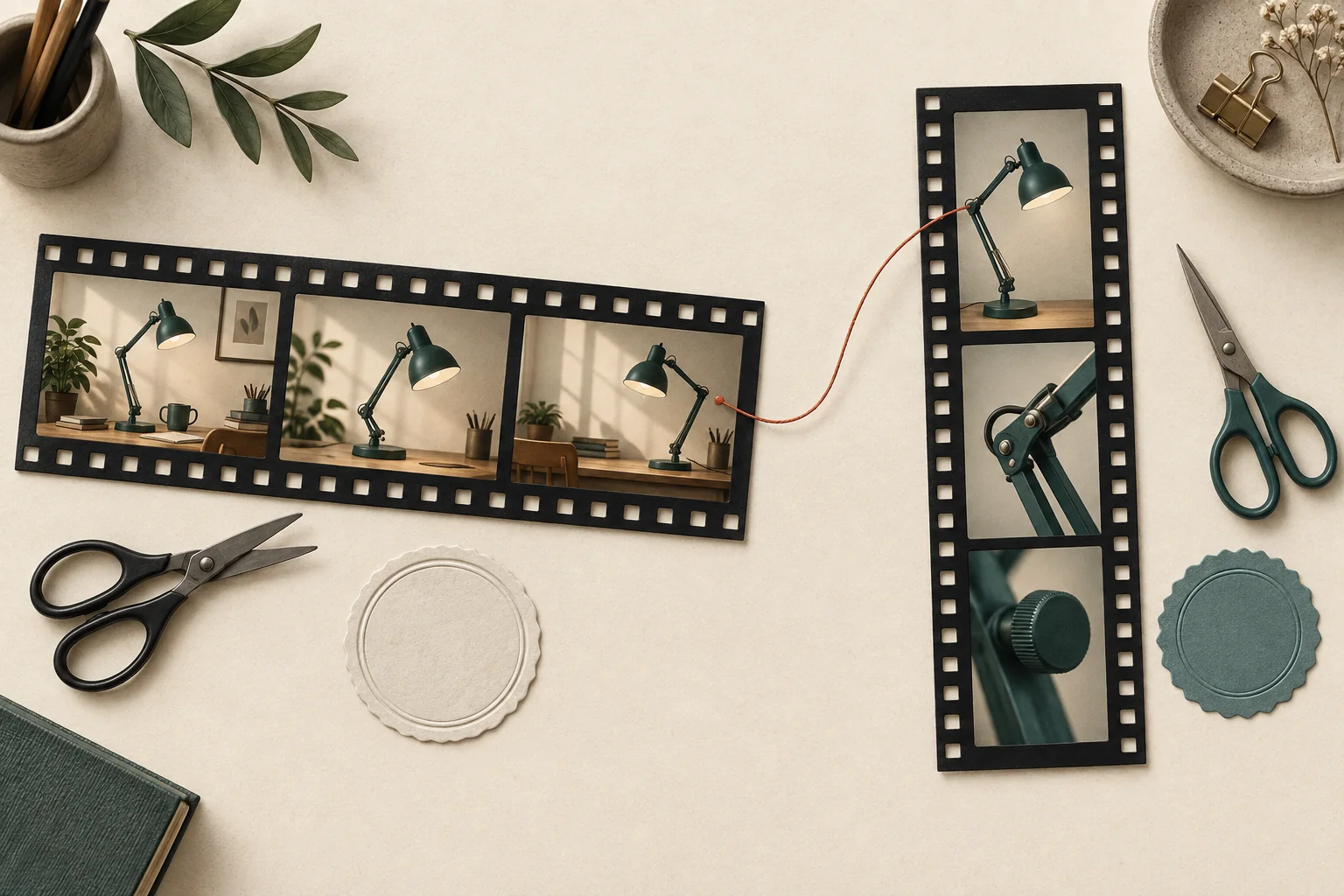
The following is a hypothetical brief for a desk-lamp sponsor. Durations and reporting dates are planning choices, not platform requirements or performance predictions.
| Field | Agreed example |
|---|---|
| Job | Show how to adjust the lamp for a small desk |
| Deliverables | One long desk-setup video and one separate 35-to-45-second vertical Short |
| Footage | Reuse the adjustment shot; film a new vertical opening showing the whole lamp |
| Message | Demonstrate the adjustment mechanism; make no claims about eye health |
| Viewer action | Open the related long video for the full setup demonstration |
| Link dependency | Long video must be live and related-video access confirmed before Short publication |
| Disclosure | Include a clear sponsorship statement in the Short and complete YouTube's paid promotion setting |
| Review | One factual review of the Short; one correction round; reshoots require a scope decision |
| Usage | Creator-channel publication only; brand reposting, paid use and raw footage excluded from this example |
| Reporting | Creator supplies separate results for each upload after 7 and 28 days |
If the creator cannot add a related video, revise the viewer action before filming. Do not approve an unusable instruction and leave the creator to repair it after publication.
Evaluate the two uploads separately
Since March 31, 2025, Shorts views count starts and replays without a minimum watch time. YouTube retains Engaged views in Analytics to show continued watching. A Short's view total therefore cannot establish how many people watched its full sponsor message.
Request creator-authorized evidence with the video URL, reporting dates and metric names visible. For the Short, agree to collect views, Engaged views and the available viewing-choice data. YouTube's Content tab guidance describes shown-in-feed and chose-to-view measures and recommends comparing content of the same format.
Compare the Short with relevant Shorts at a similar publication age. Review the long video against long videos. Do not add both view totals and label the sum unique campaign reach. Do not assign every subsequent long-video view or purchase to the Short without evidence of that path.
Before accepting the add-on, send the creator a completed comparison table and a Short-specific brief. Confirm the destination works, the extra production work has a price and both parties know which evidence will decide whether to commission another Short.