Before adding a creator's outfit images to a product page, confirm permission for that use, match the photographed garment to the exact product and color, and check that edits have not changed its appearance. Then review captions, disclosures, alt text and removal dates. Hold the asset if any of those checks is unresolved. A social post's popularity does not answer them.
The checklist below is a recommended publishing process. The legal references address U.S. copyright and advertising guidance; permission and disclosure decisions can differ by market. They do not replace review of your agreement or local legal advice.
Clear the image for product-page use
Ask who took the photograph. The person wearing the outfit may have hired a photographer and may not control every right needed for your intended use. The U.S. Copyright Office explains that the photographer is generally the initial copyright owner, subject to limited exceptions, and that protection starts when the image is created.
Keep written permission linked to the original file. Your review should answer:
- Which images does the permission cover?
- Does it cover your ecommerce product pages and the intended markets?
- When does use start and end?
- May you crop, resize or adjust the image? Who approves those edits?
- What credit is required, and where must it appear?
- Have the creator's likeness and any other recognizable people been cleared for this use?
- Who resolves a rights question or requests removal?
A credit line does not document a license. Payment for a social post should not be treated as proof that website reuse is included. If the agreement is unclear, hold the image and ask the rights holder to confirm the scope.
Modash's repurposing guide also treats website reuse as a permission question. Its broader reuse ideas do not remove the need to check each file and placement. Keep paid advertising, email and packaging outside this approval unless your agreement covers them too.
Match the garment before judging the photograph
Use the product record and the sample dispatch record to identify what the creator wore. Compare the image with the current sellable item. A shared collection name or similar silhouette is insufficient.
| Check | Evidence to inspect | Hold when |
|---|---|---|
| Style and SKU | Sample record and current product identifier | The photographed item cannot be identified |
| Color | Color code, approved reference image and physical sample where available | Lighting or editing makes it look like another color |
| Size and fit | Size sent, creator confirmation and any alteration notes | A fit caption relies on a guessed size |
| Construction | Current specifications for seams, closures, lining and cut | The image shows an earlier sample version |
| Materials and care | Current composition record and care instructions | The caption contradicts the documented product |
| Outfit contents | Item list for the photograph | Accessories appear to be included when sold separately |
The table describes review evidence to collect. It makes no claim about a particular brand's products.
Ask whether the garment was pinned, tucked, shortened or otherwise altered for the shot. A visible tuck can explain a styling choice. Hidden clips that change the apparent waist or silhouette can make the image unsuitable as fit evidence. Keep a styling image separate from the standard product views that show construction and shape.
For a future shoot, use the available-variant try-on plan to agree which sizes and colors the creator will receive before filming.
Review the final crop and its claims together
Compare the original with the exported website file. Check the garment's color, texture, transparency and proportions. Reject edits that invent a different hem length, remove a visible fastening or make a fabric look more opaque. If strong lighting prevents a reliable color comparison, choose another frame rather than treating a disclaimer as a repair.
Inspect the mobile crop too. A full-length outfit can become a waist-only thumbnail that hides the detail the caption describes. Keep required credit and disclosure visible when the gallery opens a larger image.
Read any imported caption as new product-page copy. A creator's personal observation about comfort does not establish fabric composition, care requirements or environmental performance. Check factual statements against the brand's current supporting records. Preserve the meaning of an approved quote; ask for a revision rather than silently changing it.
For U.S.-directed marketing, the FTC's endorsement guidance says endorsements must be truthful and cannot carry claims the marketer could not legally make. It also explains that an image can convey an endorsement without words.
Where a material connection needs disclosure, show it near the endorsement in language that describes the real relationship. For example, a paid styling commission might use a visible statement that the brand paid the creator to make the image. Do not relabel commissioned content as an independent customer review or rely on a disclosure link in the footer.
Environmental language needs its own check. The FTC's Green Guides summary calls for specific, clear qualifications to general environmental claims. Do not import an unsupported sustainability caption merely because it accompanied an approved photo. Remove the unsupported claim or hold the asset if the claim is embedded in it.
Write alt text for the purchase question
Choose the image's purpose before writing its alternative text. W3C's informative-image guidance recommends conveying the information the image adds in its page context.
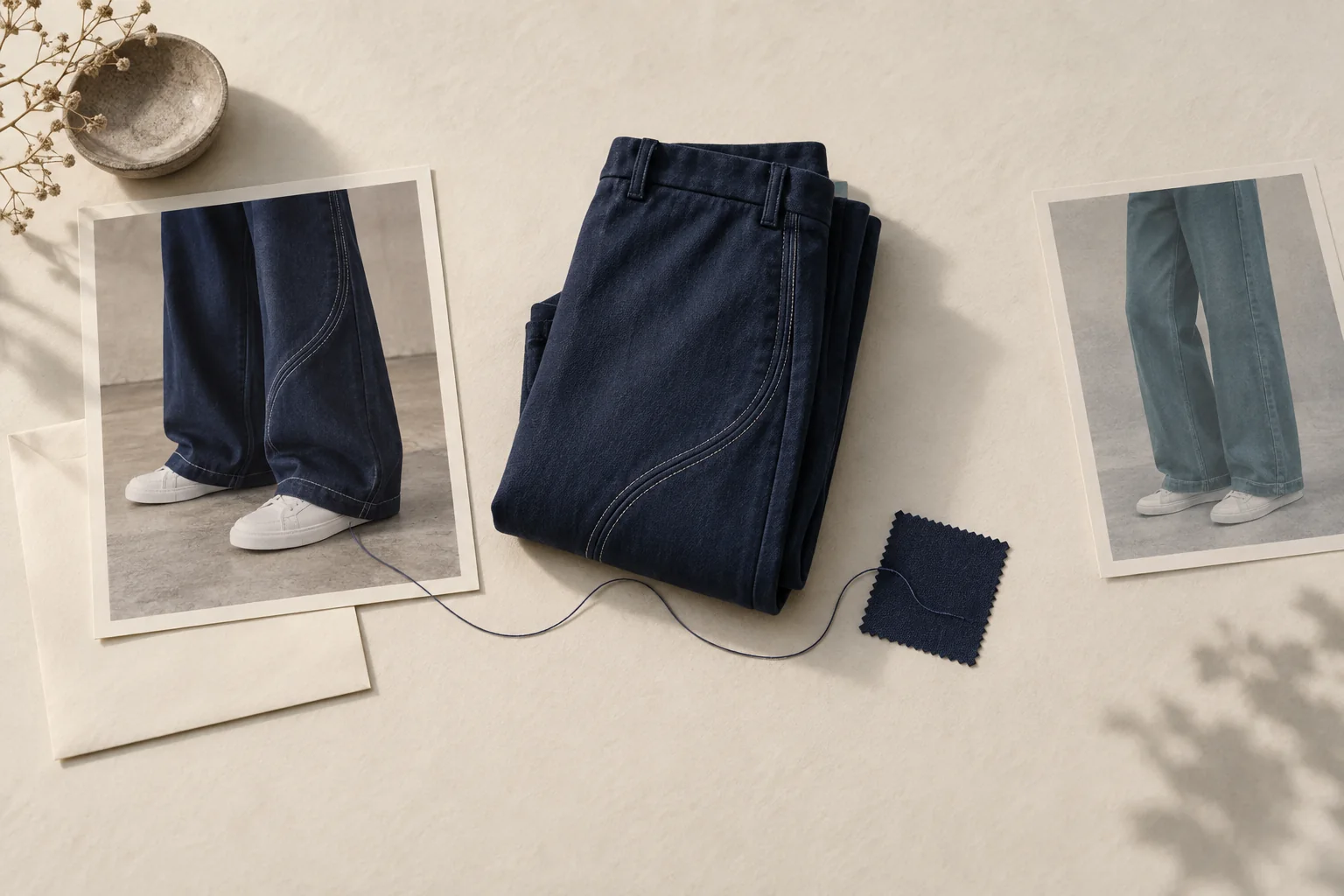
For a hypothetical styling photo, useful alt text could be:
Navy wide-leg trousers worn with the hem resting over white trainers.
That describes the styling information. A filename, a creator handle alone or a string of fashion keywords would not do that job. Avoid guessing body measurements, identity or fabric from the image.
Put size worn, alteration notes, credit and any required disclosure in visible text where shoppers need them. Alt text should not be the only place those facts appear. Check the finished gallery with a keyboard and screen reader, including thumbnail names and the enlarged view. Treat that as a separate page check; writing alt text alone does not verify the gallery.
Keep one asset record with an expiry decision
The following record is hypothetical. It illustrates a file cleared for one navy trouser product page, with restricted edits and a fixed license window. The identifiers, agreement and dates are invented for this example.
asset_id: styling-017
original_file: styling-017-original.jpg
approved_file: styling-017-mobile-and-desktop.webp
product_id: trouser-042
photographed_sku: trouser-042-navy-m
color_code: navy-03
size_worn: M
alterations: none confirmed by creator
rights_record: example-agreement-017
placement: owned product detail page only
license_start: 2026-10-01
license_end: 2026-12-31
approved_edits: resize and approved crops only
caption: Navy trousers; trainers sold separately.
disclosure: We paid the creator to make this styling image.
alt_text: Navy wide-leg trousers worn with the hem resting over white trainers.
review_owner: ecommerce content editor
remove_on: license expiry or product mismatch
Store the supporting permission and product checks with the record. The metadata summarizes evidence; filling a field does not create permission.
Assign someone to track the content-rights expiry before upload. Also trigger a review when a color disappears, a product specification changes or a page redirects to a replacement item. Do not silently transfer the photograph to a similar new SKU. The discontinued-item workflow covers the wider campaign cleanup.
Before publishing the next image, open its record beside the product page. Confirm the rights, garment match, final crop, claims and accessibility checks, then record who approved it and when it must come down.