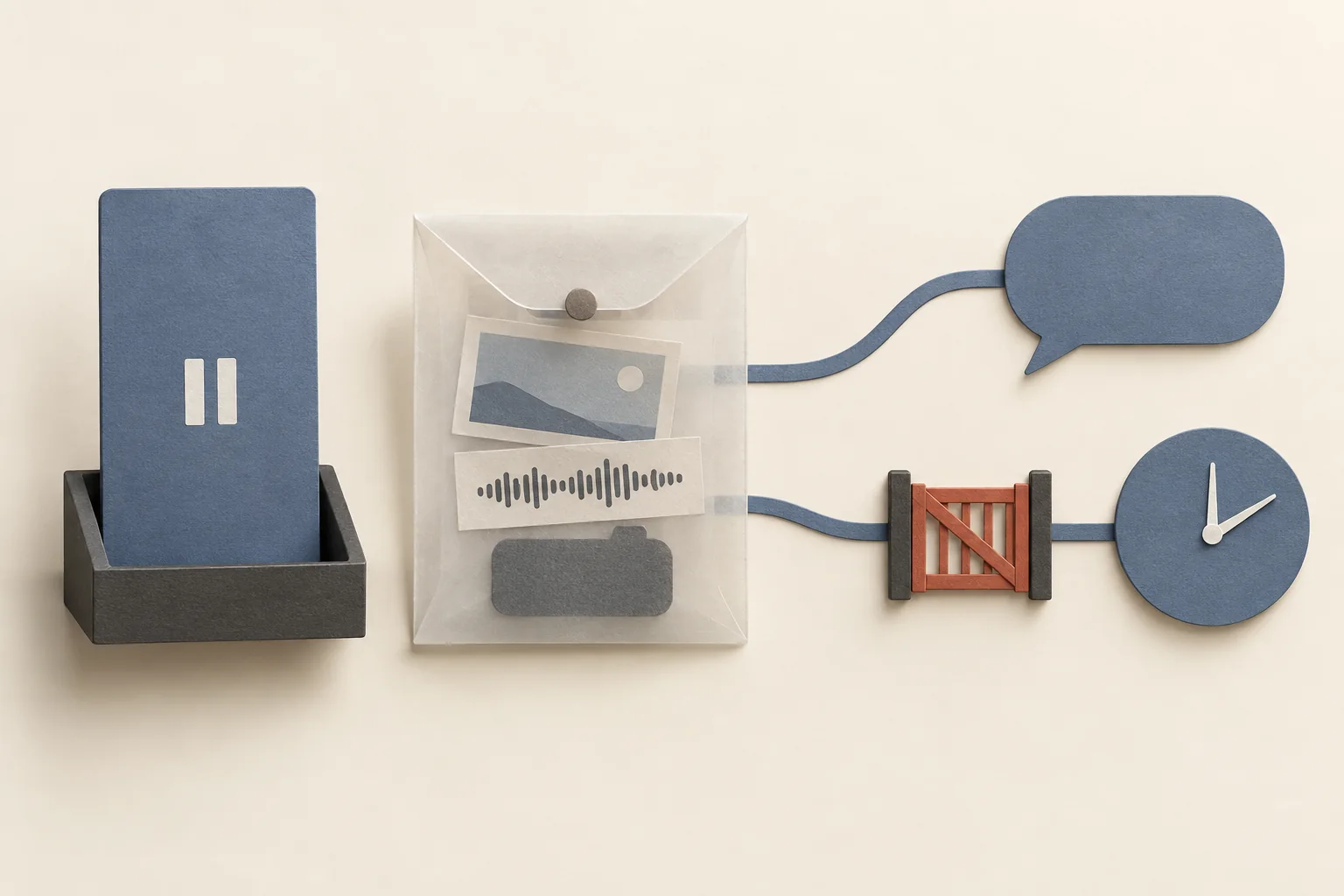
Before adapting a creator video for TikTok, confirm permission for the new use, clear the soundtrack, and review the edit in its new context. Check the crop, captions, disclosure and call to action together. A finished video from another platform is source material; it still needs approval for the TikTok version you plan to publish.
This checklist covers a creator's existing video adapted for a brand or sponsored post. The editing steps are recommendations. TikTok's disclosure and music requirements are platform rules, identified below. Paid advertising needs a separate permission check.
Decide where the adapted video will appear
Write down the publishing account, audience market and intended use before editing. A brand-account post, a creator's sponsored post and a paid ad are different assignments. Do not leave the editor to guess which one the brief means.
For example, an organic brand-account demonstration might need a new ending that directs viewers to a relevant product page. A creator's sponsored post needs wording that still sounds like the creator and accurately describes the relationship. Neither brief should silently expand into paid media.
Modash's repurposing guide recommends planning destinations and licensing before collecting content. That planning is useful here. Its tag-only advice for reposts should not become your permission standard. TikTok's copyright guidance calls for proper authorization or a legally valid basis when using someone else's copyrighted content.
For a commercial adaptation, use documented permission as the working default. Copyright exceptions depend on the applicable law and circumstances. Escalate disputed rights rather than treating this checklist as a legal determination.
Review the permission and the actual file
A creator's approval of a campaign does not answer every reuse question. Compare the proposed TikTok use with the permission you have recorded.
| Check | What to record | Hold the edit when |
|---|---|---|
| Destination | Publishing account, TikTok placement and audience market | Permission names only the original platform |
| Use | Organic posting or paid advertising | The media plan adds advertising without approval |
| Changes | Cropping, trimming, subtitles, translation and audio replacement | The planned changes fall outside the agreed scope |
| Timing | Start date, end date and who tracks expiry | The license period is missing or has ended |
| Other material | Music, clips, images and identifiable contributors | The creator cannot confirm the relevant permissions |
| Approval | The person who can approve the final version | Only an earlier cut has been approved |
These are recommended briefing fields, not a universal contract form. Use the guide to budgeting creator usage rights when reuse adds scope to the original production agreement.
Request the original export, ideally with separate dialogue and music tracks. A downloaded social post may have baked-in captions, an old offer or audio that cannot be removed without damaging speech. If the only available file is unsuitable, ask for a fresh export or a pickup shot.
Prefer a clean source file for readability and editing control. Do not justify that request with an unsupported claim that every cross-post or visible watermark receives a distribution penalty.
Clear the soundtrack again
Listen for every music layer, including background music captured during filming. The creator's permission to reuse the picture does not establish the rights to the soundtrack.
TikTok's commercial music guidance recommends its Commercial Music Library for content promoting a brand, product or service. TikTok says its licenses for music outside that library do not cover commercial use.
For original sounds or music outside the library, the Music Usage Confirmation requires confirmation that the post contains no copyright-protected music, or that all necessary licenses have been obtained and paid for. An audio track labelled as an original sound still needs review.
Choose a soundtrack only after confirming the intended commercial use. Keep a record of the track and the basis for using it. Do not assume that music licensed on the source platform travels with the exported video.
If music is inseparable from the dialogue and you cannot clear it, request another take. The TikTok commercial music checklist gives the audio reviewer a separate decision process.
Rebuild the framing and context
TikTok for Business recommends vertical 9:16 creative, visible content inside the interface safe zone, and captions or text overlays that add context. That page addresses performance ads. Treat its advice as a starting point for an edit, rather than an organic ranking rule.
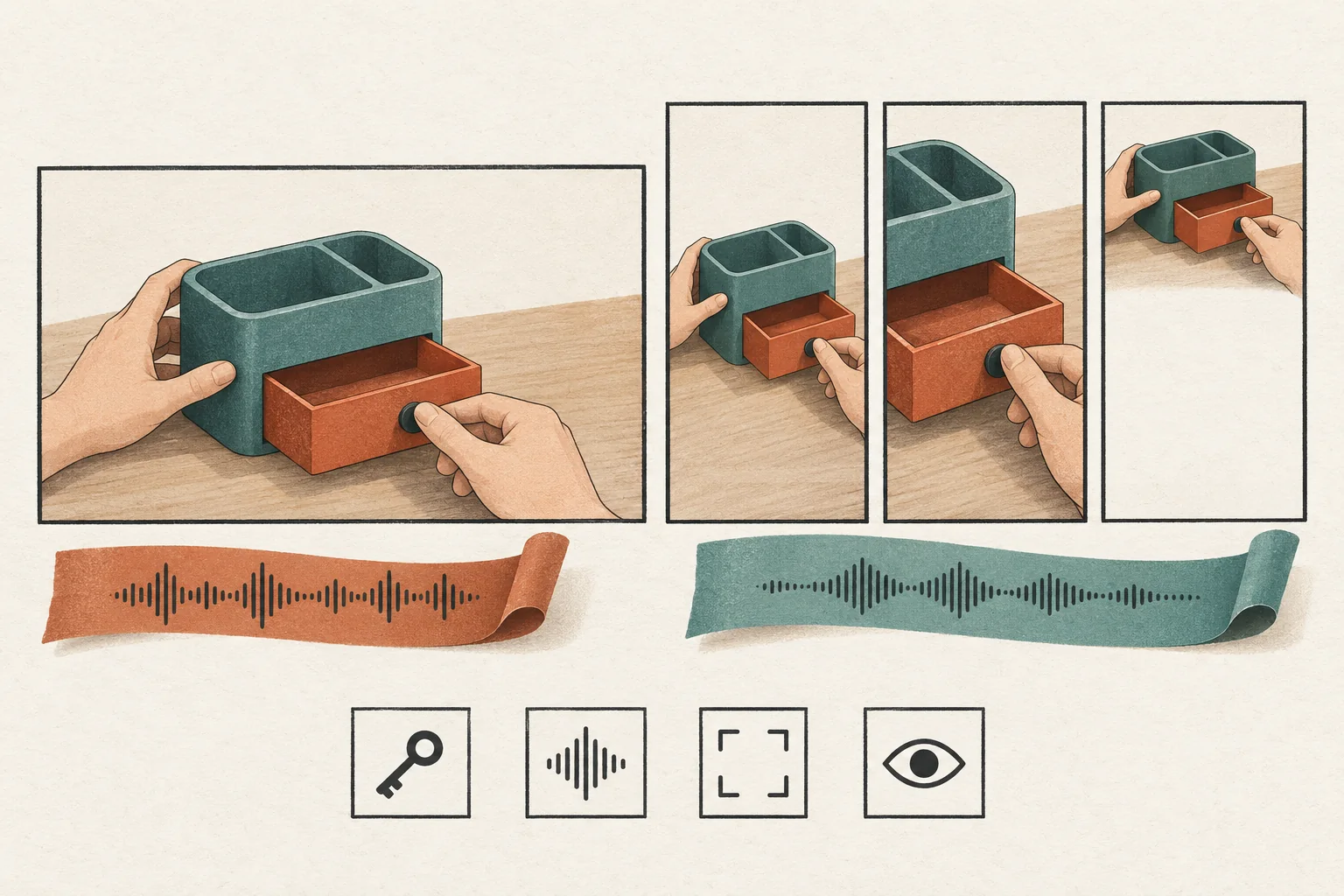
Review the proposed crop shot by shot. Keep the product action visible, especially hands, controls and the result of a demonstration. If a vertical crop removes the evidence behind a spoken claim, use another shot or retain more of the original frame.
Then review two kinds of captions separately:
- Spoken captions. Correct the transcript, product names and timing. Preserve qualifications in the speech. A caption must not turn a limited observation into a broad promise.
- Post caption. Replace references to another platform, expired offers and instructions the new viewer cannot follow. Check every named destination before approving the call to action.
Watch once without sound to check comprehension. Then listen without looking at the image. If either version changes the meaning, revise it. This is an editorial test, not a TikTok requirement.
Keep disclosure inside the new version
TikTok requires the content disclosure setting for content promoting a brand, product or service. This includes promoting your own business and third-party promotion in exchange for payment or another incentive.
Choose the setting for the account that will publish. TikTok labels own-business promotion as Promotional content and third-party branded content as Paid partnership. Do not copy the original post's selection without checking the new publisher's relationship. TikTok says enabling disclosure does not affect feed distribution.
For endorsements affecting U.S. consumers, FTC staff guidance says the disclosure should appear in the video itself. It advises against assuming a platform tool is enough. Disclosures in both audio and video are more likely to be noticed. Free products can also create a relationship that needs disclosure. Other jurisdictions may have additional requirements.
Recheck disclosure after trimming. An editor can accidentally remove the opening explanation while leaving the endorsement intact.
Before-and-after storyboard
The following is a hypothetical adaptation of a sponsored desk-organizer demonstration. It describes an editing plan, not a real creator or campaign result. Assume the creator has approved a TikTok brand-account version, subject to final-cut review.
| Original sequence | TikTok adaptation | Reason for the change |
|---|---|---|
| Greeting followed by a wide desk shot | Open on the organizer in use, with the sponsorship relationship clear | Establish the object and relationship immediately |
| Demonstration with hands near the frame edge | Reframe around the hands and drawer; replace any shot whose action disappears | Preserve what the viewer needs to see |
| Music mixed into the source-platform export | Use the clean dialogue export and a soundtrack cleared for this use | Separate video permission from music permission |
| Spoken note that larger items do not fit | Keep that limitation in speech and captions | Preserve the creator's meaning |
| Ending directs viewers to an expired Story offer | Remove the expired offer; use an approved, currently valid next step | Avoid sending viewers to a dead destination |
Do not invent a stronger claim to make the shorter version work. If a new opening requires words the creator never said, request a new recording and approval.
Approve the upload, not only the timeline
Before release, review the final export and the planned upload settings together:
- Permission covers this file, account, market, use and date.
- Music has a documented basis for commercial use.
- The crop preserves the demonstration and captions remain readable in the preview.
- The creator's qualifications and sponsorship context survive the edit.
- Disclosure matches the publishing relationship and relevant market requirements.
- The ending points to an available destination with a current offer.
If the plan changes to creator-authorized advertising, pause and use the Spark Ads permission checklist. Approval to publish an adapted file should not be treated as proof of every advertising permission.
Send the final cut, post caption and intended disclosure selection to the named reviewer. Resolve any missing permission or unclear audio license before scheduling that version.