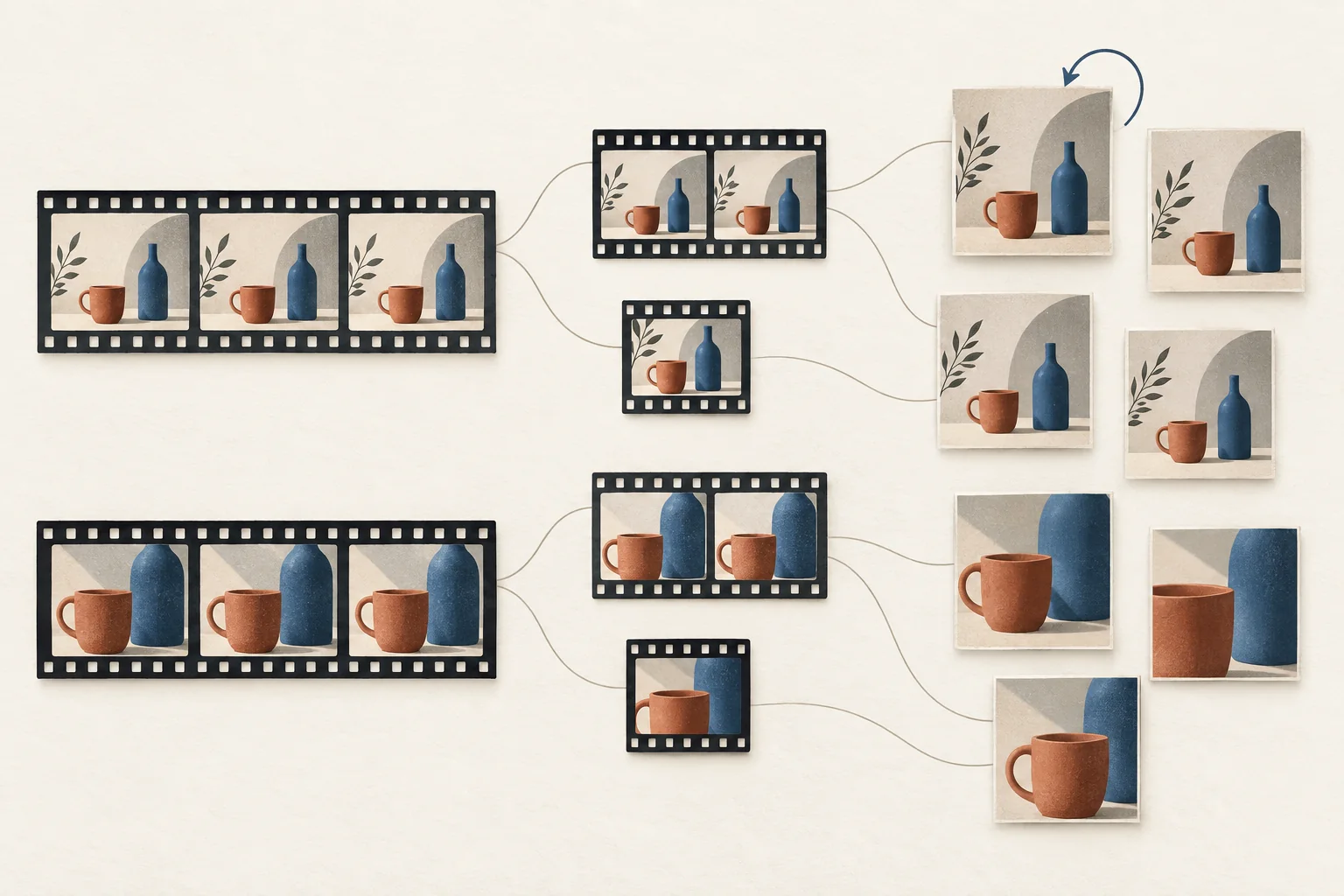
A cross-post or reupload counts as another publication, but it does not automatically count as another creative asset. An edited cut counts as a version of its source asset. A native repost that shares an existing post belongs in a separate distribution count. Keep these totals separate so your report can show both what creators made and where it appeared.
These are recommended influencer content counting rules for a campaign ledger. Platforms do not supply one common definition of a campaign "piece of content." Agree on the units before commissioning work or comparing creator output.
Give each object its own identity
Use three linked records:
| Record | What one record means | Example |
|---|---|---|
| Creative asset | One distinct creative execution, grouped with its derivatives | A filmed product demonstration |
| Version | One content-distinct rendition of that asset, including the original | Full demonstration, shorter cut, translated voiceover |
| Publication | One upload or separately published post on a specific account and platform | The original file uploaded to a creator's YouTube channel |
Under this policy, changing the sequence, duration, crop, on-screen text, voiceover or audio creates a version. Exporting the same edit at a different bitrate does not. Neither does renaming the file. Record caption or description changes as publication metadata unless the text is part of the creative itself.
A newly filmed review with its own argument is a new asset, even when it answers the same brief. A shorter edit of the existing review remains in that asset's family. When the distinction is unclear, ask whether the team produced another creative execution or adapted an existing one. Have the campaign owner record the decision once.
This boundary matters because editing and publishing can happen independently. YouTube's replacement guidance says a new upload receives a new URL, while an existing video can be trimmed or have its title and description changed. A new version therefore need not create a new publication, and a new publication need not contain a new version.
Use the deliverable revision guide to connect these records to approvals and outstanding work.
Separate two meanings of repost
Ask the person reporting a repost what they did.
- Native repost. They used a platform's sharing feature on an existing post. Log a distribution action linked to that original publication.
- Reupload. They uploaded the file again, creating a separate post. Log another publication linked to the same version.
TikTok describes Repost as sharing existing posts into friends' and community members' For You feeds, with the reposter identified. For this ledger, that action adds neither a new asset nor a new uploaded publication. This is an accounting recommendation, not a claim that the repost has no value.
A brief may require native reposts. Give those actions their own required and completed totals. Do not silently mix them with uploads to make one "content delivered" number.
Cross-posting means publishing the same creative on another platform. Count the separate post once. If adapting the file changes the creative, also add a version. The TikTok adaptation guide can help you specify that adaptation before requesting it.
Ten illustrative publication cases
The following hypothetical campaign starts with an empty ledger. Read the rows in order. Each number is an addition at that step, not the running total. Versions include the original rendition of each new asset.
| Case | Action | Assets | Versions | Publications |
|---|---|---|---|---|
| 1 | Creator uploads an original demonstration to YouTube as P1 | 1 | 1 | 1 |
| 2 | Creator uploads the identical file to TikTok as P2 | 0 | 0 | 1 |
| 3 | Brand uses TikTok's native Repost on P2 | 0 | 0 | 0 |
| 4 | Brand uploads the original file to its YouTube channel as P3 | 0 | 0 | 1 |
| 5 | Creator makes a shorter cut and uploads it to TikTok as P4 | 0 | 1 | 1 |
| 6 | Creator corrects the description of P1 | 0 | 0 | 0 |
| 7 | Creator uploads the original file again to TikTok, with a different caption, as P5 | 0 | 0 | 1 |
| 8 | Creator trims P1 within YouTube, producing a distinct edit at the existing URL | 0 | 1 | 0 |
| 9 | Brand deletes P3 and uploads the original file again as P6 | 0 | 0 | 1 |
| 10 | Creator films a separate review and uploads it as P7 | 1 | 1 | 1 |
The resulting counts are reproducible:
- Creative assets: cases 1 and 10 = 2 assets.
- Versions: cases 1, 5, 8 and 10 = 4 versions.
- Publications: cases 1, 2, 4, 5, 7, 9 and 10 = 7 publications.
- Native repost actions: case 3 = one action, reported separately.
Case 8 changes which version P1 contains. Keep its previous version association in the change history. Otherwise someone reviewing an older approval could mistake the current edit for the approved file.
Case 9 leaves seven historical publications but six still available at the cutoff, assuming all others remain accessible. Keep the deleted row and mark its status. YouTube's guidance also notes that data from deleted videos can remain in aggregate reports without attribution to the deleted video. A missing post should therefore trigger a status review rather than automatic deletion from your campaign history.
Store enough evidence to deduplicate
Modash's influencer tracking article recommends retaining post links and screenshots when collecting content manually. Add identities to that evidence so two people finding the same post do not create two counted publications.
Use these fields in your ledger:
| Field | Why it belongs |
|---|---|
| Asset ID and version ID | Connect reuse and edits to the original creative |
| Platform and post ID | Identify the publication without relying on its caption |
| Publishing account | Separate creator uploads from brand uploads |
| Canonical URL | Give reviewers a direct route to the post |
| Published time and timezone | Apply the campaign reporting window consistently |
| Evidence and capture time | Record what the reviewer could see at that time |
| Current status | Distinguish available, deleted, expired and unverified posts |
| Deliverable reference | Show which agreed requirement this publication addresses |
Use platform plus post ID as the deduplication key where the ID is available. Several links can lead to the same post. Different tracking parameters, screenshots or discovery dates do not justify extra rows in the publication total.
Where an ID is unavailable, use a provisional record with the account, URL, publication time and evidence. Flag it for review before including it in a confirmed total. A file hash can help identify byte-identical copies, but visual review is still needed to group different exports of the same edit.
Keep delivery totals separate from approval
Publication count answers how many posts appeared. It does not decide how many agreed deliverables the creator completed. A deleted-and-reuploaded post might satisfy one requirement, while two platform uploads might satisfy two separately agreed requirements.
Set the acceptance rule in the brief. For a carousel, this policy counts one published post and records its panels separately. For a multi-frame Story requirement, specify whether acceptance applies to each frame or the agreed sequence. Avoid changing that choice after seeing the results.
In a campaign decision report, label each total with its unit, scope and cutoff. The hypothetical example could read:
Two creative assets, four versions and seven historical publications across creator and brand accounts. Six publications remain available at the cutoff. One native repost is recorded separately.
Before the next creator posts, classify one planned cross-post and one planned edit using this policy. Confirm the classification with the person who approves delivery, then put those rules in the campaign ledger.