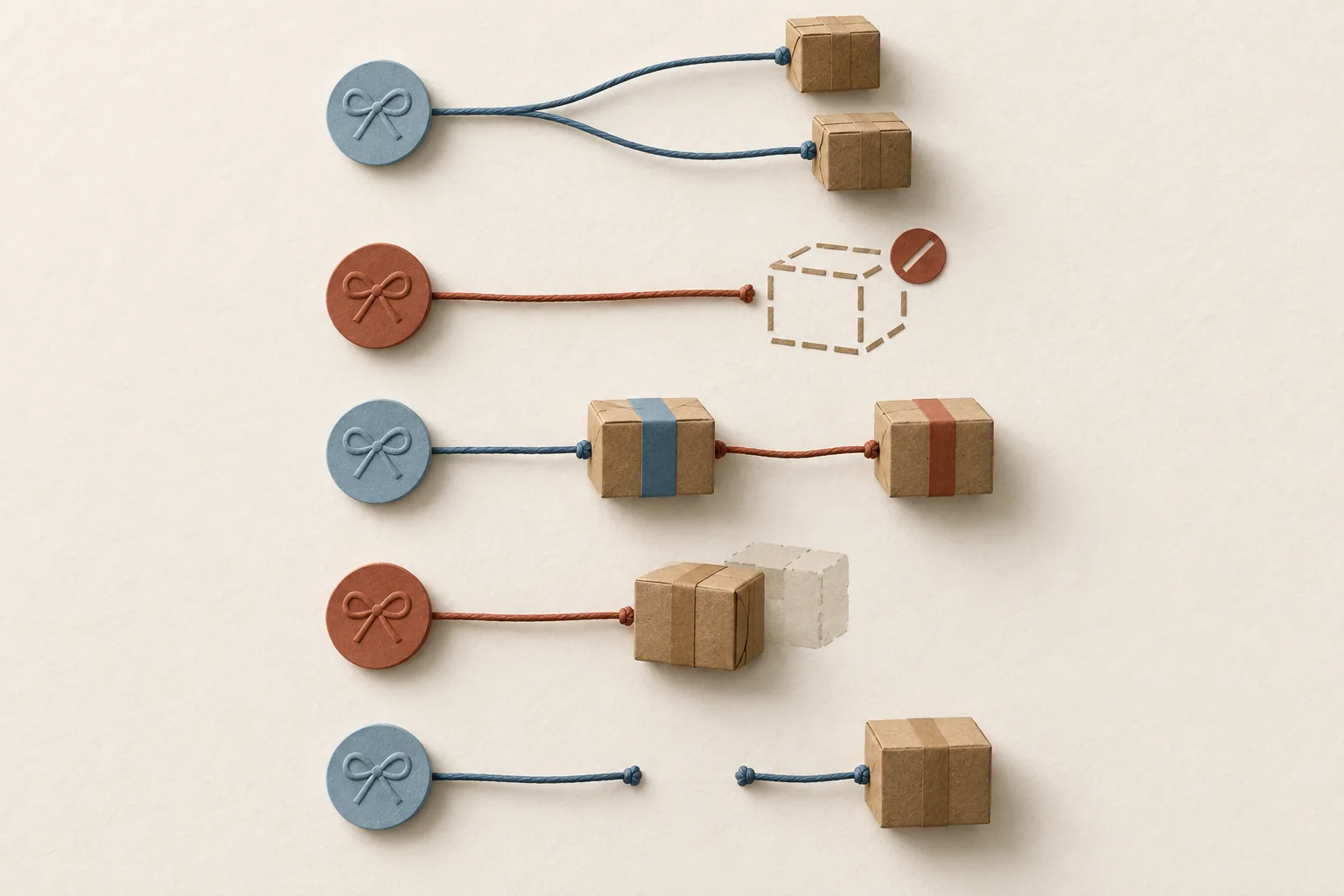
Your creator tracker and warehouse report can show different counts because they count different things: requests, orders, packages or product units. One gift can produce two packages, a cancellation can leave no package, and a replacement can add another shipment. Reconcile by stable identifiers and item quantities before comparing totals. Then separate genuine missing records from expected differences.
Agree on what each total counts
Ask the warehouse owner what one export row represents. It might be a package, an item within a package, or a shipment status update. Count distinct package IDs only after confirming that definition. A creator tracker needs a separate request ID for each gift, since the same creator may receive more than one gift.
Use these reporting labels:
- Gift requests: approved requests, with canceled requests reported separately.
- Orders: distinct store or warehouse orders linked to those requests.
- Packages dispatched: distinct physical packages with evidence of departure.
- Units dispatched: item quantities in those packages, with replacements separated.
Modash's gifting-platform overview discusses connecting gifting workflows to ecommerce orders. That connection gives you an order record to reconcile. It does not establish that a creator row equals one parcel.
Shopify makes the distinction explicit. Its fulfillment documentation allows partial fulfillment, separate tracking numbers and multiple fulfillments for one order.
Set a reporting cutoff with a timezone. For a batch review, select the batch's gift requests first, then retrieve their related orders and shipment history through that cutoff. Filtering both files by creation date alone can exclude a later replacement for an earlier request.
Keep the identifiers at their own level
Use the following structure as a recommended reconciliation worksheet. These are suggested fields, not mandatory platform field names.
| Record | Keep these fields | Purpose |
|---|---|---|
| Gift request | Batch ID, request ID, creator ID, approved items, canceled quantities | Defines what was authorized |
| Order mapping | Request ID, source system, store ID, order ID, warehouse order ID | Connects systems without guessing from names |
| Shipment | Warehouse shipment ID, package ID, order ID, tracking number, status, event time | Identifies each dispatch and its evidence |
| Shipment item | Package ID, original order-line ID, SKU, variant, quantity | Shows what each package contains |
| Replacement | New shipment or order ID, original request ID, replaced package ID, reason | Keeps extra dispatches attached to the original gift |
Shopify's Fulfillment object has its own ID, order connection, line items and tracking information. It can also hold multiple tracking numbers. Do not assume a fulfillment ID always identifies one physical parcel.
Preserve identifiers as text, including leading zeros. Include the store or source system alongside an order ID when several stores feed one warehouse. If kits contain several SKUs, agree whether an exported quantity means kits or individual items before summing it.
Keep every tracker request and every warehouse record in the comparison, even when a match is missing. A spreadsheet lookup that retains only matched rows can hide the exceptions you need to find.
Worked reconciliation with five mismatch types
The table below is hypothetical. Five approved gift requests belong to one batch. All packages listed as dispatched have departure evidence before the same reporting cutoff. The warehouse export has one row per package, except for the duplicate shown.
| Request and order | Tracker record | Warehouse record | Mismatch | Resolution |
|---|---|---|---|---|
| R01 / O101 | One gift, two items | S11 and S12, one item each | Split packages | Link both packages to O101 and R01; retain two package records |
| R02 / O102 | One approved gift | Cancellation confirmed before dispatch; no package | Canceled request | Record cancellation; remove it from active requests, preserve approval history |
| R03 / O103 | One gift | S31 original and S32 replacement, one item each | Replacement | Link S32 to S31 and R03; count two dispatches and one gift request |
| R04 / O104 | One gift | S41 appears twice with identical item data | Duplicate export row | Exclude the repeated row from totals after confirming the package ID |
| R05 / O105 | Gift recorded without order ID | S51 under O105 | Missing identifier | Verify the order's request reference, then add the missing mapping |
After those corrections, the hypothetical totals are:
| Measure | Count | Calculation |
|---|---|---|
| Originally approved requests | 5 | R01 through R05 |
| Active requests | 4 | 5 approved minus 1 canceled |
| Raw warehouse rows | 7 | 2 split + 2 original/replacement + 2 duplicate rows + 1 unmatched |
| Distinct dispatched packages | 6 | 7 rows minus 1 repeated row |
| Dispatched product units | 6 | 5 original units plus 1 replacement unit |
The four active requests and six packages are both valid totals. R01 adds a second package for its second item. R03 adds a replacement package. The canceled request adds no dispatch.
Do not delete every repeated order ID. That would erase valid split shipments. Do not delete every repeated package ID without checking row structure either. A package can appear on several rows because it contains several items or has several status events.
Resolve exceptions without changing physical history
Work through unmatched records in this order:
- Check batch filters, cutoff times and export scope.
- Check missing or altered identifiers against the original order record.
- Group package items under their order, preserving all package IDs.
- Check cancellation confirmation and replacement links.
- Compare approved, canceled, dispatched and still-open quantities for each order line.
A label or fulfillment status alone needs care. Shopify says buying and printing a label can mark an order fulfilled. UPS's US tracking guidance distinguishes receiving label details from receiving the parcel into its network. Keep label-created records separate from confirmed dispatches; leave uncertain departures unresolved.
For cancellation, record both the request to stop and the warehouse's response. Shopify warns that canceling a fulfillment in its admin does not stop work already in progress. If departure already occurred, preserve the dispatch and assign the cancellation exception to an owner.
For replacements, retain the original shipment even if it failed to reach the creator. Record the extra product and shipping cost against the same request. Use the seeding batch cost worksheet when those extra dispatches affect the budget.
For missing identifiers, ask for the original order reference or request reference. A similar creator name is insufficient to resolve an ambiguous match. Keep the row open until someone supplies evidence.
Close with a difference log
Give every unresolved row an owner, next action, evidence reference and review date. Store the unedited exports alongside the corrected mapping so another person can reproduce the totals. An explained split can close; a guessed order link stays open.
Use approval-to-delivery tracking to keep future status updates consistent. If the warehouse export lacks order-line or package identifiers, agree those fields during your fulfillment-partner handoff.
Start with one batch. Write its cutoff and counting definitions above the worksheet, match its identifiers, and assign the remaining exceptions before issuing the next shipment total.